This is the first part of the ShiftWire case study, and it answers one question: can a keyboard carry editor state legibly enough to build a product on. Everything here happened on one physical board, a Keychron K10 HE, running the firmware it shipped with. Part two is the custom firmware, which is where the product’s real guarantees have to live.
ShiftWire is a macOS app that treats a mechanical keyboard as a display. It draws your actual keymap on your board’s real layout, switches layers with the app you focus, and lights supported boards from the state of the editor you are already in. I am building it end to end: the product, the interface, the design system, and the direction of the code.
The keyboard is already a display
A full-size board has 104 addressable LEDs sitting under your hands, and on almost every desk they are running a decoration. The premise of ShiftWire is that they are a status surface that nobody is using. You are already looking down. The information could be there.
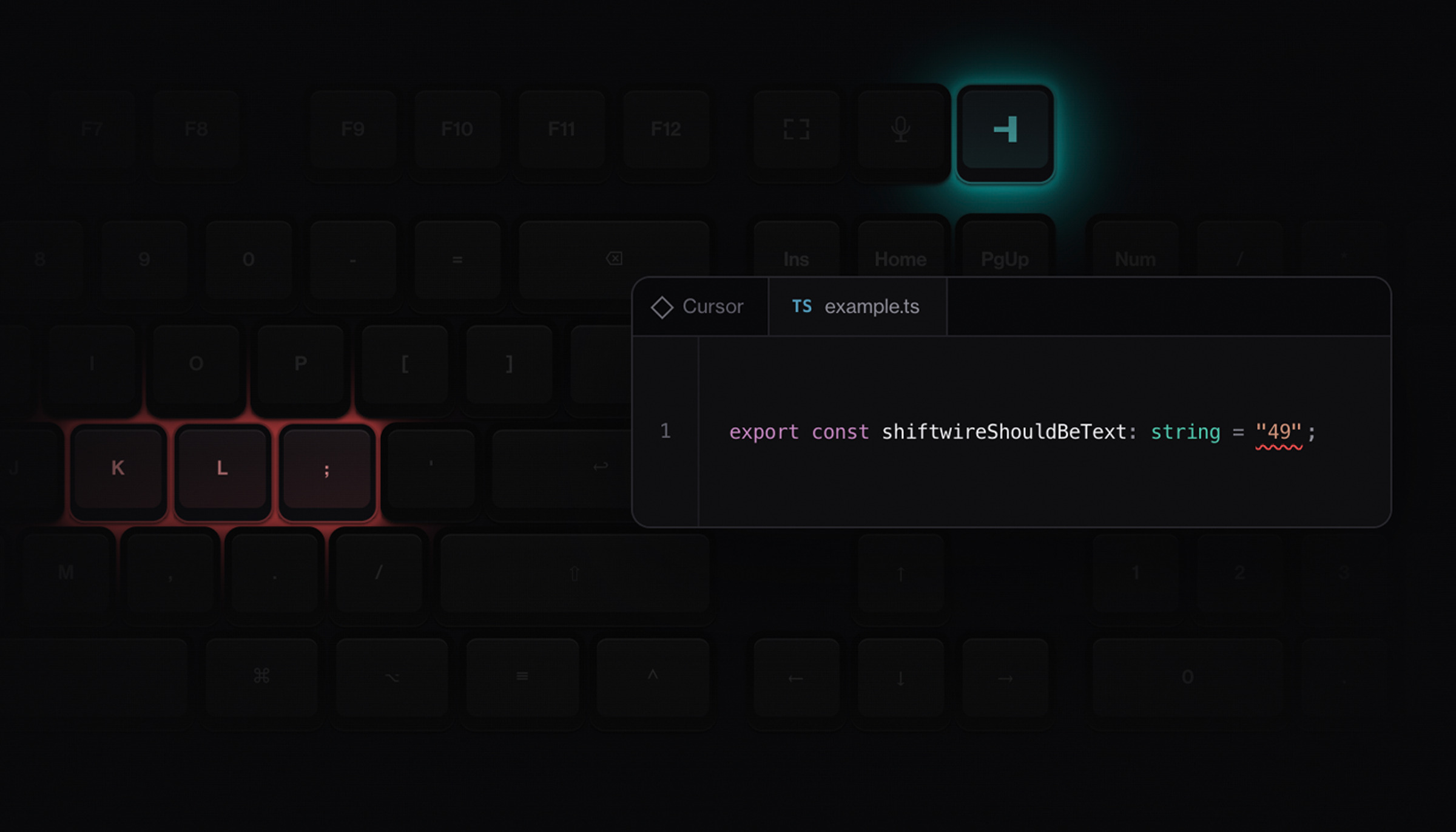
The first signals are deliberately small. Amber when the active TypeScript document has an error or a warning, green when it is clean, green when the repository has staged changes and no merge conflict. The editor provider sends the language, diagnostic counts and severity, and staged and conflict state. It never sends source, file names, paths, repository names, diagnostic text, or keystrokes. The board learns that an error exists, not which one.
The wording of that last signal took an argument with myself. The obvious label is “commit ready,” and it is a lie: staged changes do not prove that hooks, signing, or Git configuration will let a commit succeed. So the rule says what it actually knows, which is staged changes and no merge conflict. A status light that overstates once is a status light you stop believing.
The demo worked and the product failed
The first hardware slice landed in one commit: exact-interface discovery for the board, a read-only firmware handshake, validation of its sparse matrix-to-LED map, a lighting adapter behind the existing transport boundary, a local editor provider, rule evaluation, transient writes, and recovery for failed writes, reconnects, disconnects, and normal shutdown. The verification record covered all of it. What those results prove is communication, state reduction, rule evaluation, and recovery. What they cannot prove is that the result is readable.
Then I looked at the keyboard. The status key changed color exactly as designed, and the rest of the board was still running its stock rainbow around it.
The visual hierarchy was backwards. Background decoration had more energy than the information, so a semantic color had to compete with 103 other lit keys to be noticed, and it lost. Nothing in the software was broken. Every test that existed still passed.
The failure was not transport. It was meaning.
That was the moment the question changed. “Can ShiftWire color a key?” was answered and useless. The real question was whether ShiftWire could own the field around that key, and nothing on screen could have told me that. A rendered board, a passing simulator, and a clean source reading all agreed the feature worked.
The hardware did not implement the color model the software assumed
The obvious fix was to turn the rest of the board down rather than off, so I made unused keys dim white. On the physical board that white came out faint cyan and stayed much too bright, and the amber status key barely registered next to it.
Reading the vendor’s published source explained it. Its per-key renderer takes each LED’s hue and saturation and then replaces the individual value with one global brightness. A host can assign 104 different colors and cannot dim one of them while another stays bright. Sending a nominal black is not a way around it either, because the renderer overwrites that value before it draws.
So dim white was not a tuning problem, it was an impossible composition on this hardware. Unused keys had to be off. That is the smallest version of the lesson this part of the build kept teaching: per-key control does not guarantee per-key output, and the only place to learn that is the desk.
A status surface has to own the whole field
The contract that came out of it has three states. Armed with a signal shows the semantic target and turns every other LED off. Armed with no signal keeps the entire board dark while ShiftWire stays in control of it. Restoring the stock effect means ownership has ended, on disconnect or normal shutdown, and nothing else.
That created a problem the software had to solve with words. Armed-with-no-signal and off are physically identical: a dark keyboard either way. The board cannot tell you which one it is in, so the app has to, in plain language, without a decorative “ready” color that the hardware would render louder than the information it sits next to.
Later testing changed one thing in this frame. Drawing the retained cluster while the physical board is dark claims more than the app knows, so the rendered board now goes dark with the hardware and the intent stays in the readout where it belongs. Holding intent is correct. Presenting held intent as current output is not.
The colors here are a proof state, not the product’s final vocabulary. Error resolves to amber in these frames and later moved toward the red and green the editor already uses. That is a change to rule data, not to code, which is the point of keeping color as tokens that resolve to both a CSS value and an LED value.
Connecting a keyboard is not permission to rewrite it
Ownership needs a control. On stock firmware the Light key cycles decorative effects, and the last stop in the carousel happens to look like off, so the whole interaction reads as darkness at the end of a list. ShiftWire needs two states and no third one: armed, or every LED off and incoming frames ignored.
Getting that means rewriting one key assignment inside the board’s own persistent keymap. That is the user’s hardware, holding the user’s configuration, and ShiftWire has no direct-to-hardware write path by design. Every configuration mutation renders as a preview first and is applied explicitly.
Under that one button is a transaction. It classifies the current assignments first and refuses a conflict with zero writes. It saves the originals before the first packet leaves. It writes one layer at a time and reads each one back before the next. A failure rolls back and is verified, and a rollback that cannot be verified becomes a recovery state that blocks lighting writes until a clean read. On the next launch the app recognized its own configuration from the board’s keymap and wrote nothing at all.
The board corrected the app’s data
ShiftWire’s rendered layout labeled the three keys above the arrow cluster PrtSc, ScrLk and Pause, because that is what a generic full-size layout has there. The physical board has Screen, Mic and Light. I found it by photographing the keyboard.
Those three became the starter semantic target for this board, which is a preset for one verified keyboard and not a universal semantic layout. The first implementation had used fixed function keys. That proved the pipeline and expressed nothing about the product, since which keys carry status, and how many, is the user’s decision to make.
The green failure was the system working
At the desk, amber worked immediately. Green did not. I fixed the TypeScript error the fixture exists to create, and the board went dark instead of green. The readout ended the investigation in one line: Git state unknown.
The lighting path was fine. My editor had a different project open as its workspace and the fixture was open as a loose file, so when the provider asked for the repository containing the active document, it got nothing back and reported unknown. The rule requires staged changes and no conflict, unknown is not that, and the rule correctly did not match. The system refused to guess and then told me why in four words.
One more thing from that session is worth keeping, because it looked like a bug and was not. The manual amber and green test buttons disable themselves while a live provider is connected, so that two authorities can never drive the same lights. At the desk that reads as a broken button. Correct exclusivity that looks like a defect is a real finding, and it is the kind you only get from someone using the thing.
How it got built
The build is AI-directed, and this stretch of it ran as two models with a document between them. One wrote the execution plan: phases, explicit decisions, stop conditions, and a required completion report. A different model executed it phase by phase while I gated every phase start by hand and did the physical work myself. They never briefed each other. The plan was the entire interface.
It earned its keep by doing review work. The restore path, as implemented, would have rewritten the captured lighting effect unconditionally on disconnect, which means a user who had deliberately pressed the Light key off would get their board force-relit on the way out. A line in the plan about preserving the latest observed on-off choice caught it before the hardware did.
Two things about this method are worth naming honestly. Both agents held write access to the same working tree at the same time, and nothing collided only because the work touched disjoint files and the commit staged explicit paths. That is discipline plus luck, and luck is not a process. The other failure was smaller and more ordinary: the app got closed during physical testing more than once, so a feature that worked was a feature I could not exercise.
The code worked. I could not use it.
Runtime continuity is now an acceptance condition, alongside instructions for how to exercise the result. It sounds like housekeeping. It is the difference between a passing test suite and a reviewable build.
Where part one stops
On the attached board, on its factory firmware, this is proved: unused keys are physically black under ShiftWire control, the utility cluster is legible against that black, a no-signal frame stays dark while the app remains armed, and the Light key remap was applied and restored through the gate. Physical on and off survived app restarts, a full power cycle, and a round trip to Bluetooth and back.
It also proved where stock firmware runs out. The board sends no event when that key is pressed, so the app has to poll for it. An off press can race a semantic write already in flight. And nothing in stock firmware knows ShiftWire exists, so a crashed app leaves its last status frozen on your keyboard with no way to clear it.
That is why the production answer is firmware: a small board-specific delta over the vendor’s published source that keeps its typing, switch scanning, layers, calibration, wired and wireless connectivity, and indicators, and adds one lighting protocol with a heartbeat and two-state control. Not one universal binary. The reusable part is the protocol and the behavior, and firmware still has to be compiled for each board’s matrix, LEDs, controller and bootloader.
Which also means the compatibility list is exactly one keyboard long. ShiftWire does not claim general QMK and VIA support, and this case study does not either. Part two is the flash.